CTravel Adven Pro WordPress Theme Documentation
Welcome to CTravel Adven Pro WordPress Theme. This documentation will guide you. If you need any help, please see the Support section.
1. Theme Installation
a. Through WordPress Dashboard
- Go to Appearance » Themes and click the Add New button.
- Click Upload Theme.
- Click Browse and navigate to the unzipped theme package on your computer.
- Locate ctravel-adven-pro.zip, select it, then click OK.
- Click Install Now and wait until the installation completes.
- Click Activate to enable the theme on your WordPress site.
b. Manual Installation using an FTP client
If you know the FTP login details for the server where your site is hosted and you have an FTP client installed (such as FileZilla), you can upload the theme using FTP.
- Unzip the ctravel-adven-pro.zip file.
- Use an FTP client to access your host web server and go to /wp-content/themes.
- Upload the unzipped theme folder to /wp-content/themes/.
- Go to Appearance » Themes and activate the theme from the Dashboard.
Unzip the download file, find the zip file named ctravel-adven-pro.zip, unzip it, and upload the folder to the main WordPress installation folder: wp-content » themes. Make sure the theme's main files are contained within a single folder inside themes.
After uploading, activate the theme from Appearance » Themes. You should see CTravel Adven Pro. Click Activate to enable the theme.
c. Plugin Installation
Download customizer-export-import.zip and upload the plugin through the Plugins section.
- See the plugin page: https://wordpress.org/plugins/customizer-export-import/ — it explains how to upload and use the plugin.
- After installing the plugin, activate it. Then go to Appearance » Customize » Import/Export.
- Download the demo settings file (.dat):
- If the file does not download automatically, save it as ctravel-adven-pro-import.dat.
- Upload the ctravel-adven-pro-import.dat file in the Import section to install theme settings.
- To import demo content, download the XML file and use the WordPress Importer: Go to Tools » Import » WordPress (Run Importer) and upload the XML file to import demo content.
2. Homepage Setup
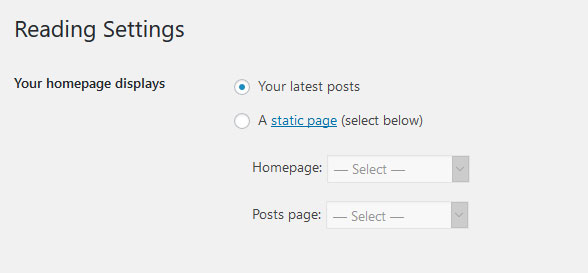
After activating the CTravel Adven Pro theme, set up the homepage as follows:
- Go to Settings » Reading » Your homepage displays
- Select the radio button for Your latest posts
3. The header
The header consists of three main elements:
- Contact info & social media
- Site Name / Logo
- Menu

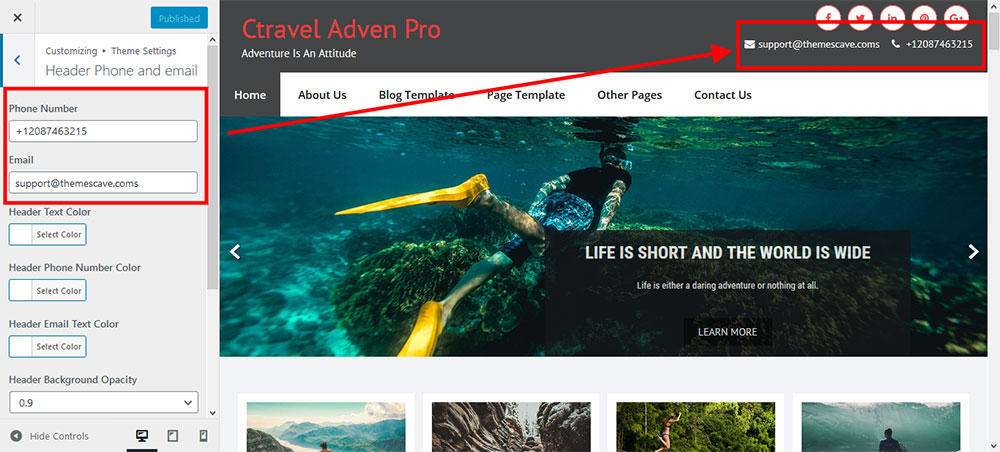
a. Contact info & social media
To customize the top header bar contact information and social media links, go to Appearance » Customizer » Theme Settings » Header Phone and Email.
b. Changing the site name / logo
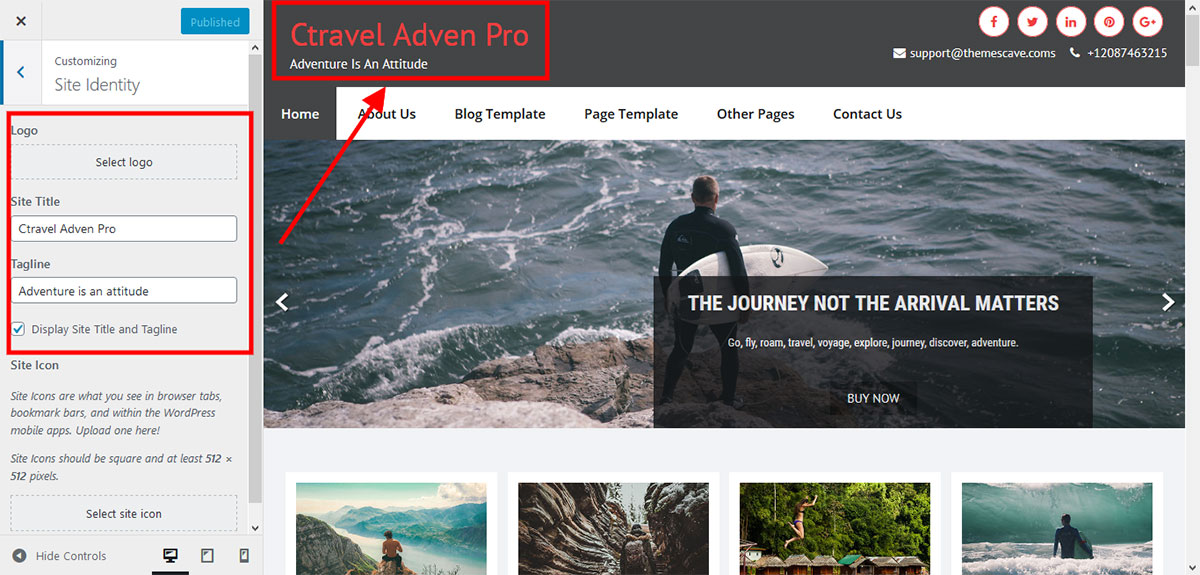
If you don't have a logo image, you can use the site name and tagline. To change the site name and tagline, go to Settings » General » Site Title.
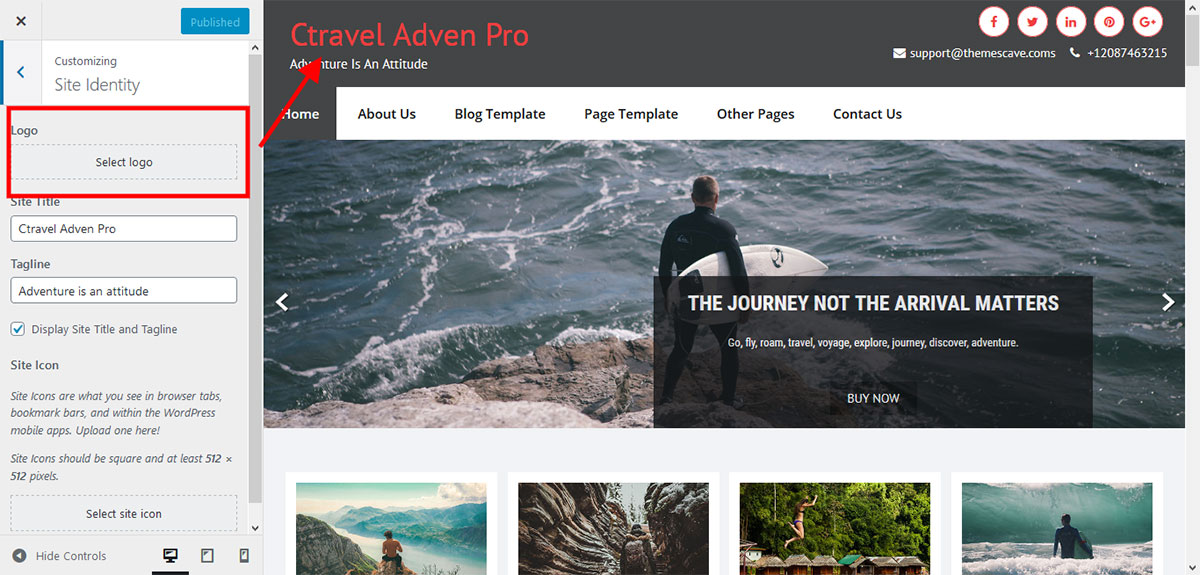
Or, to upload a logo for your website, go to Appearance » Customizer » Basic Settings » Site identity » Logo. You can also increase the logo image height as needed from Appearance » Customizer » Theme Settings » General settings » Add logo height size.
c. Setting the menu
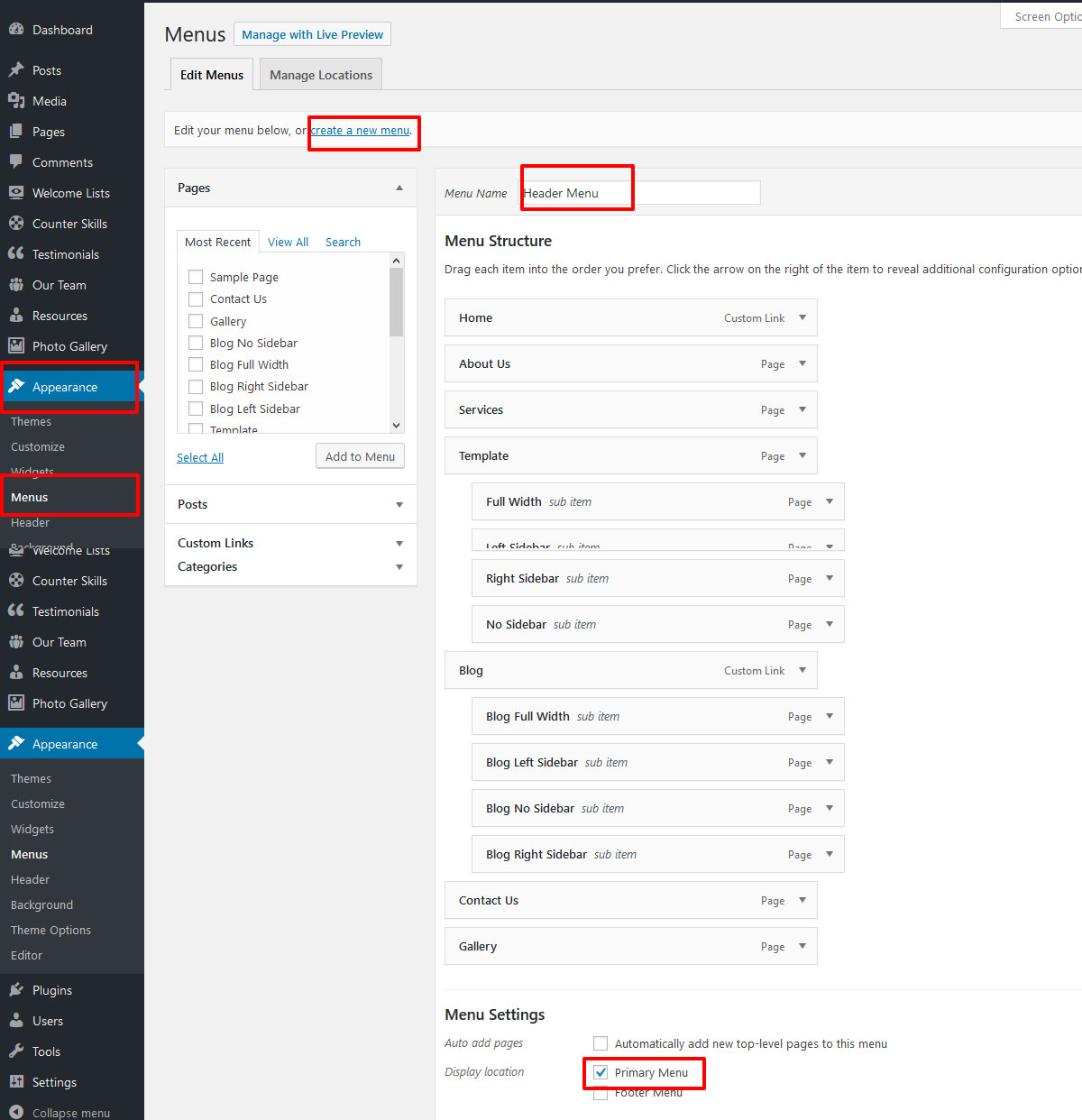
- Create pages from Pages » Add New.
- Go to Appearance » Menu.
- Click on Create a new menu.
- Name your menu and click Save Menu.
- After creating the menu, add pages by selecting the checkboxes. Arrange menu items by drag and drop.
- Select the theme location Primary Menu from Menu Settings.
- Click Save Menu after adding the required pages and categories.
4. Homepage Slider
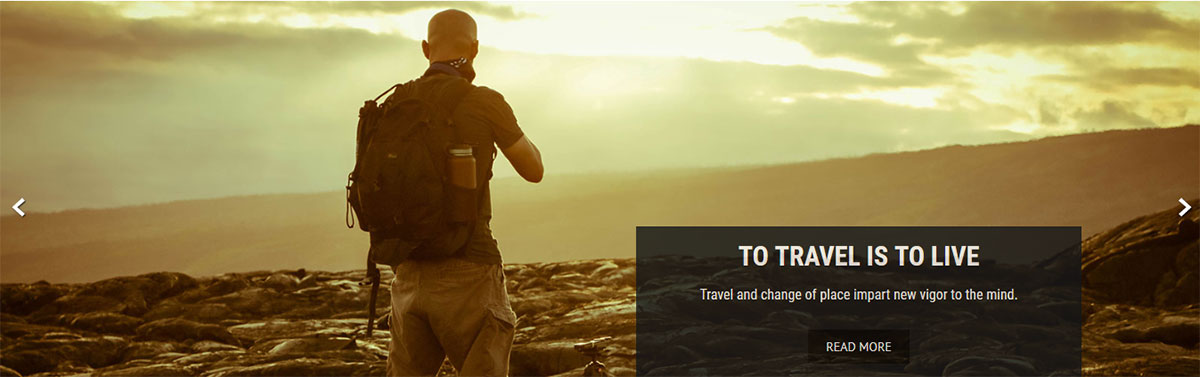
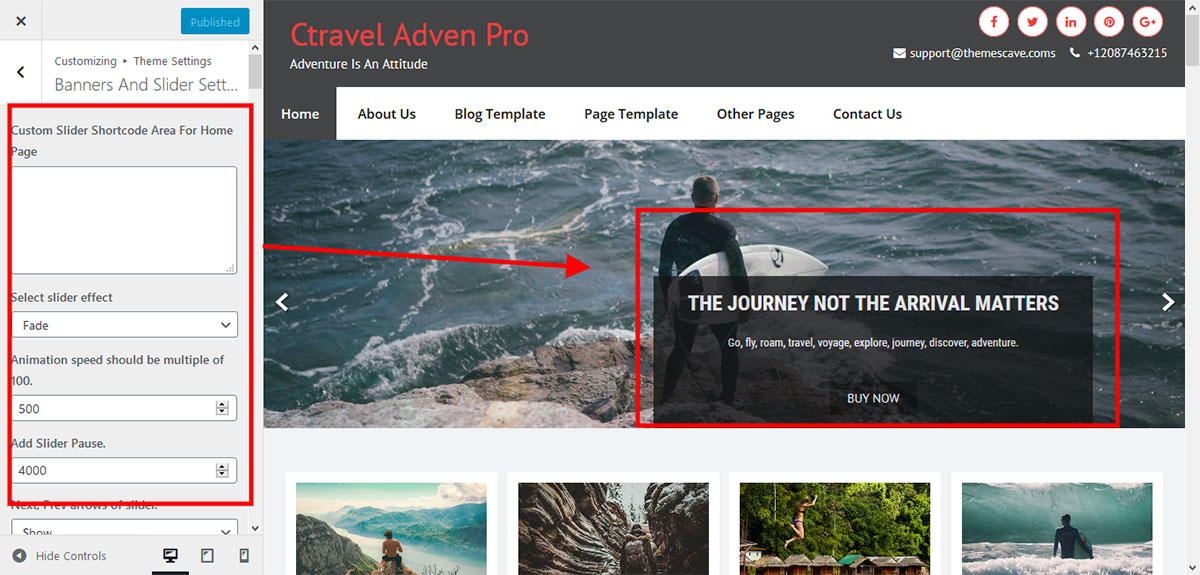
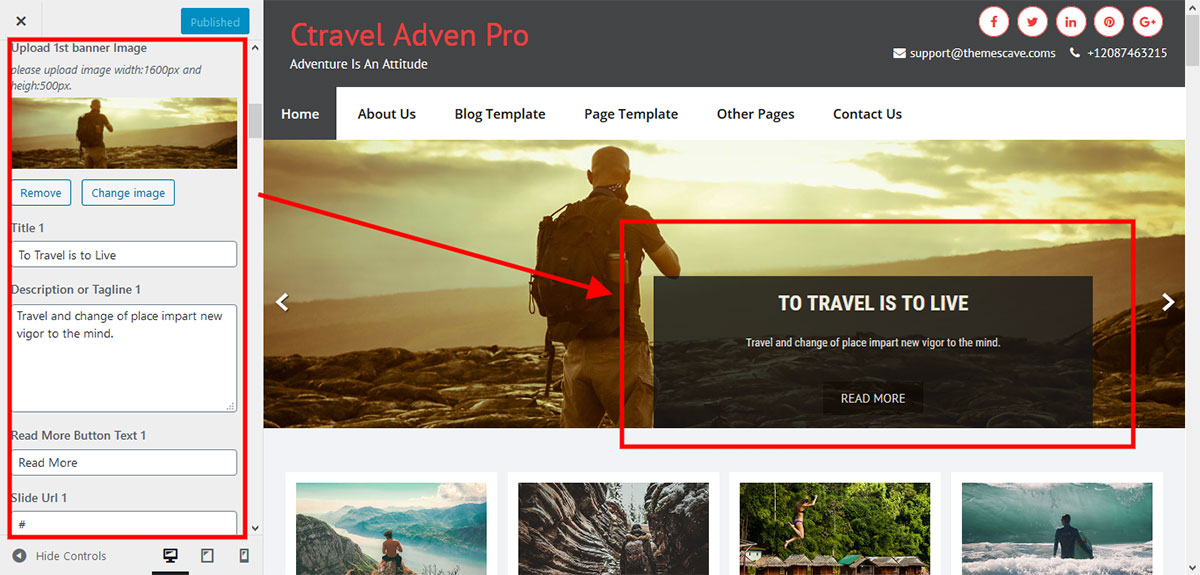
To add slides to the homepage slider, go to Appearance » Customize » Theme Settings » Banners and Slider Settings. For each slide there are different options you can apply:
- Change slider effects and timing.
- Adjust animation speed and pause time.
- Show or hide direction navigation.
- Show or hide the pager.
- Pause the slide on hover.
- Default slider image size: 1600 × 500 pixels
If you prefer not to use the default image slider, you can use any WordPress image slider plugin.
- Go to Appearance » Customize » Theme Settings » Banners and Slider Settings » Custom Slider Shortcode Area for Home Page.
- Enter the slider shortcode provided by the plugin (without PHP tags).
5. Inner Page Banner
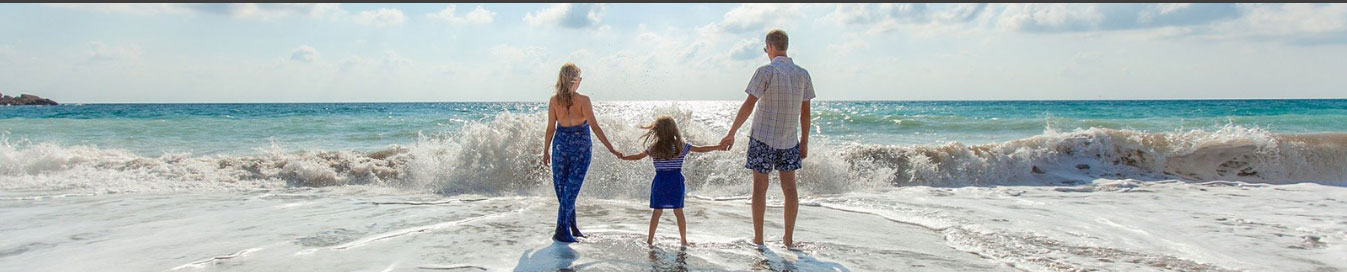
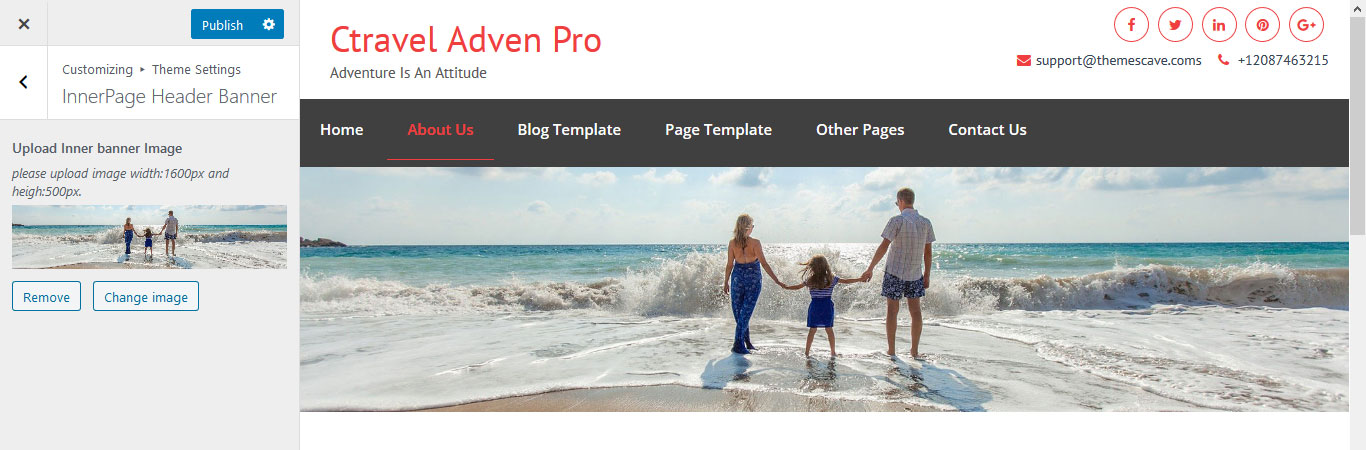
To change the inner page banner image: go to Appearance » Customize » Theme Settings » InnerPage Header Banner.
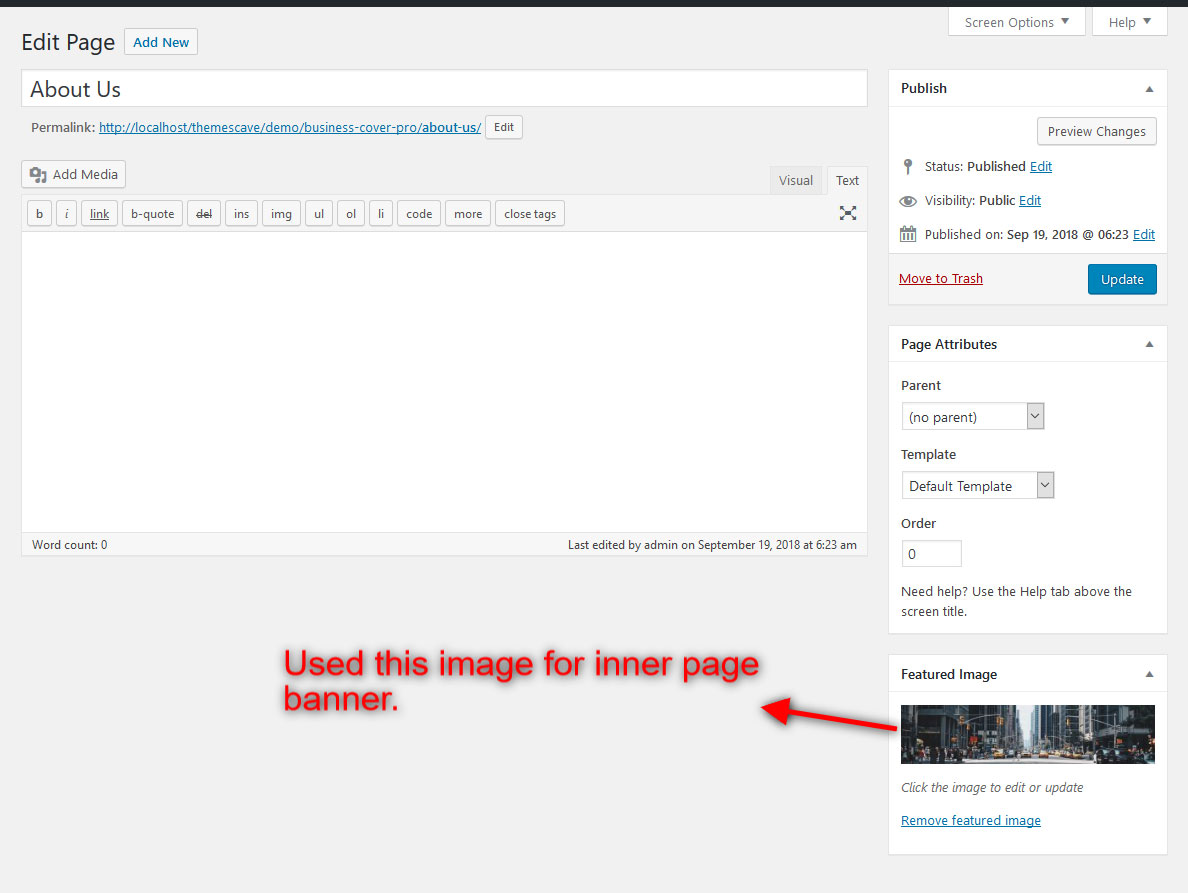
To set a different banner image for each individual page:
- Edit the page and set a Featured Image.
- The default inner page banner image size is 1600 × 373 pixels.
6. Homepage Section
1. Travel Resources
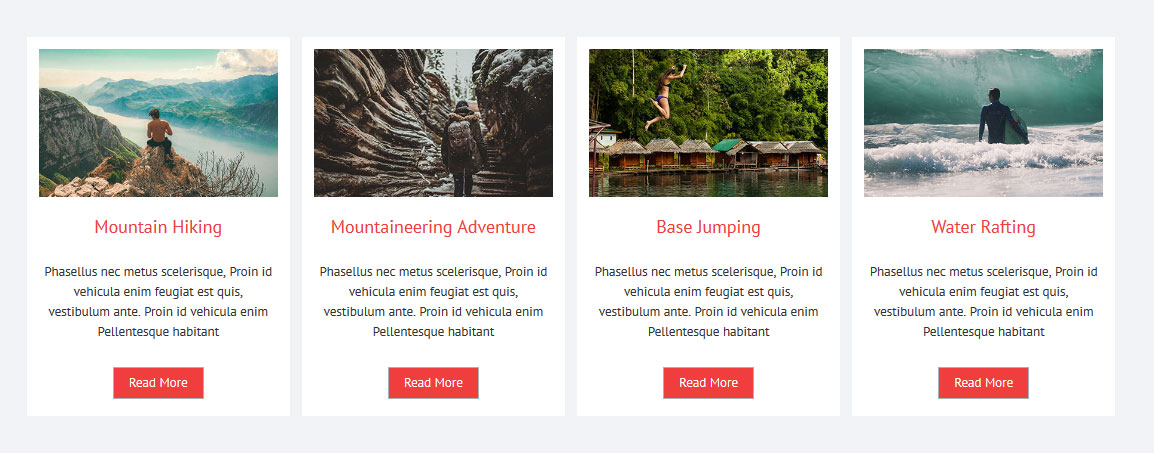
To manage this section:
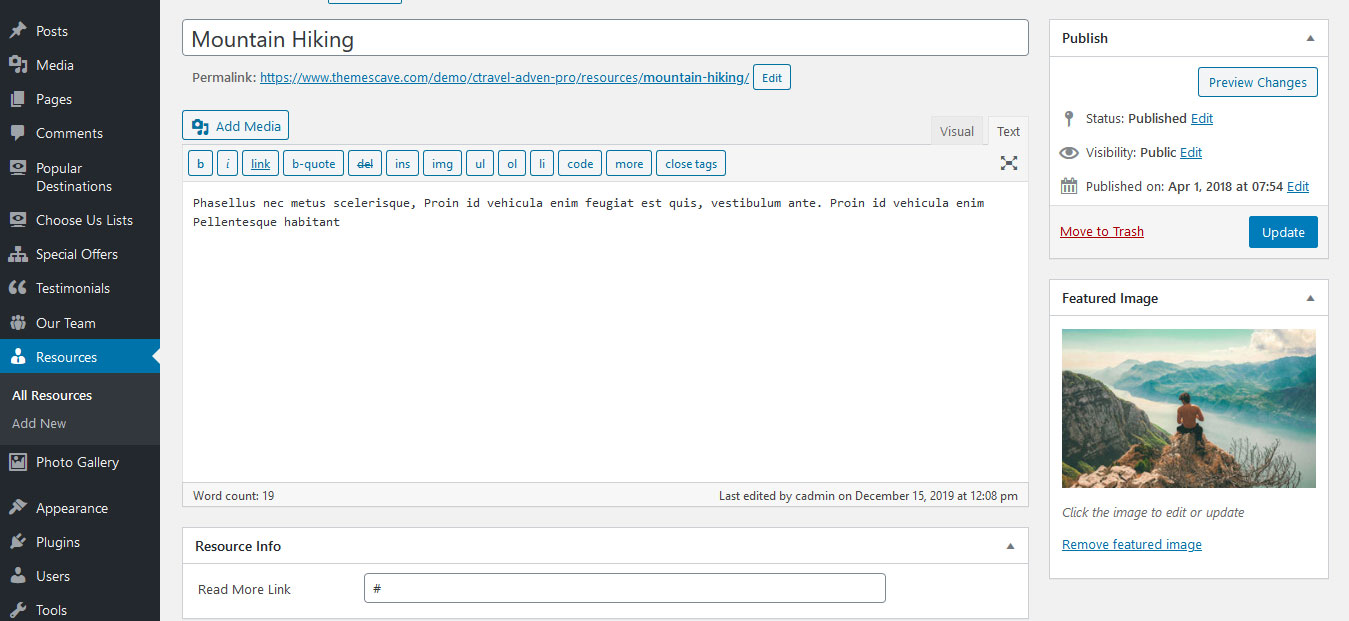
- Click on Resources » Add New.
- Fill in all fields and set a featured image.
- To display this section on the homepage:
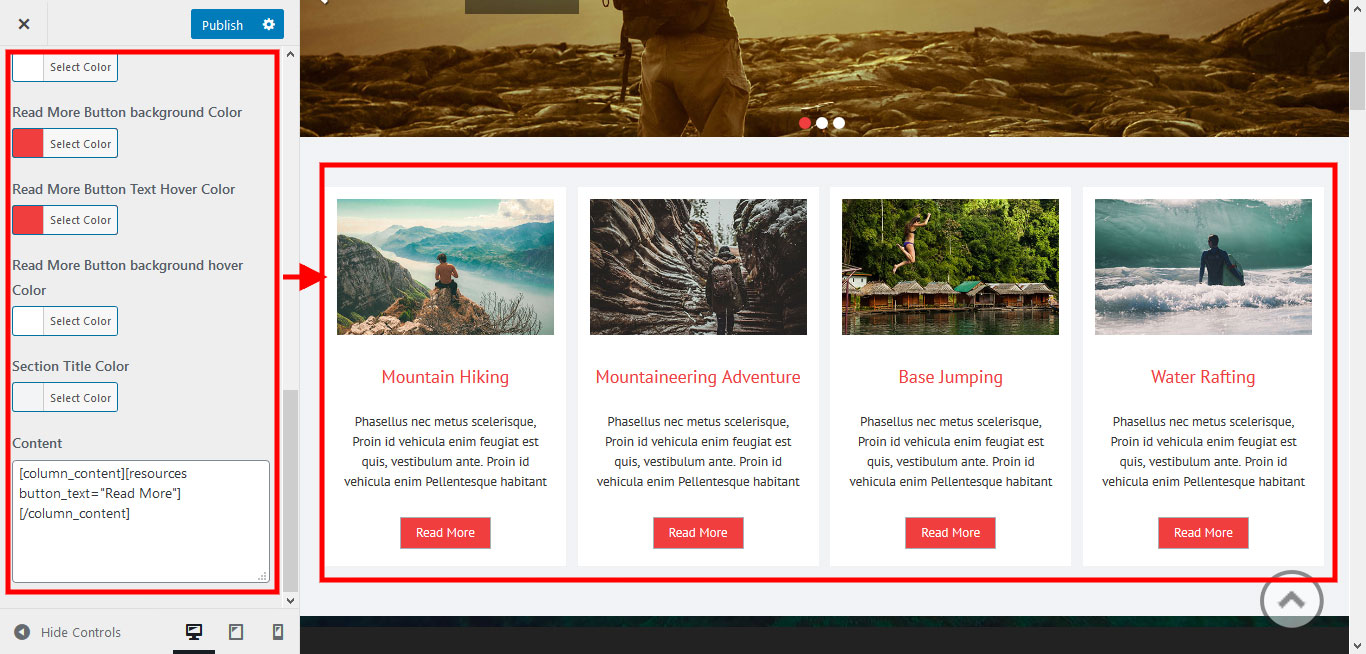
- Go to Appearance » Customize » Home Sections Settings » Travel Resources Section and add the shortcode below in Section 1:
[column_content][resources button_text="Read More"][/column_content]
2. Welcome Section
To manage this section:
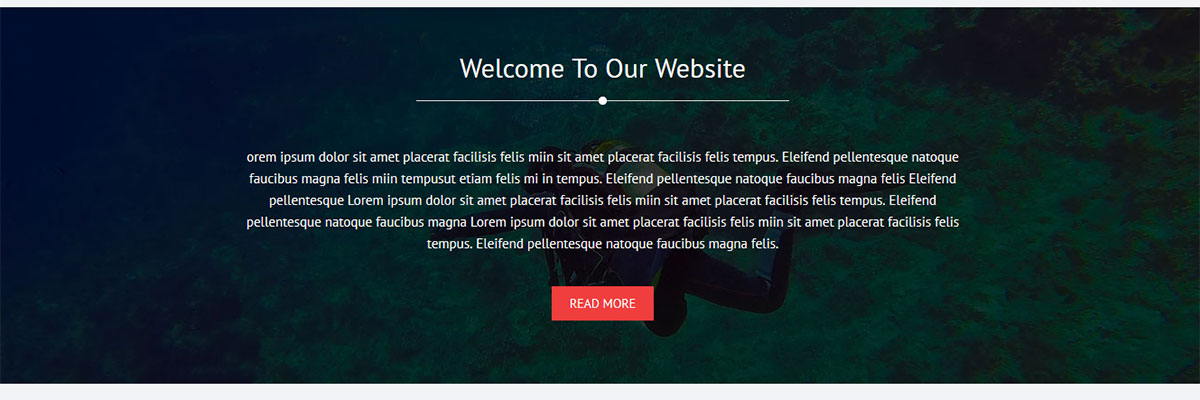
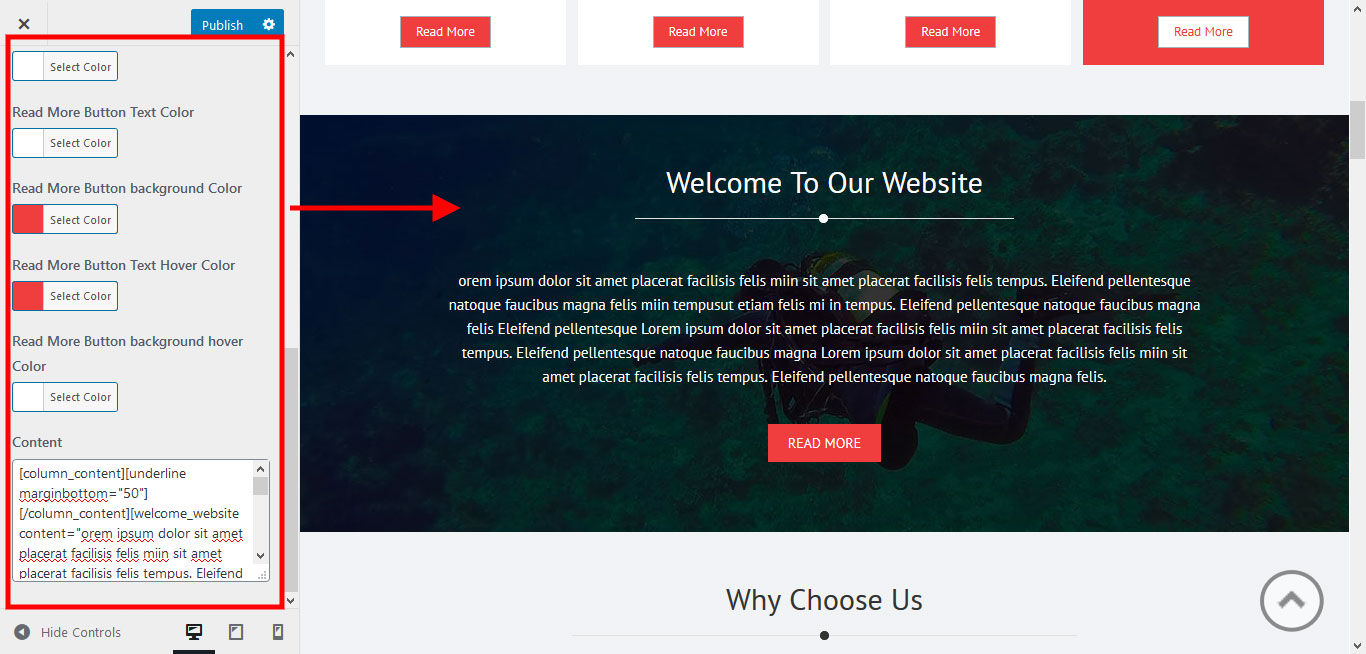
- Go to Appearance » Customize » Home Sections Settings » Welcome Section.
- Add the shortcode below to the content section:
[column_content][underline marginbottom="50"][/column_content][welcome_website content="Lorem ipsum dolor sit amet placerat facilisis felis mi in tempus." text="Read More" url="#"]
3. Choose Us Section
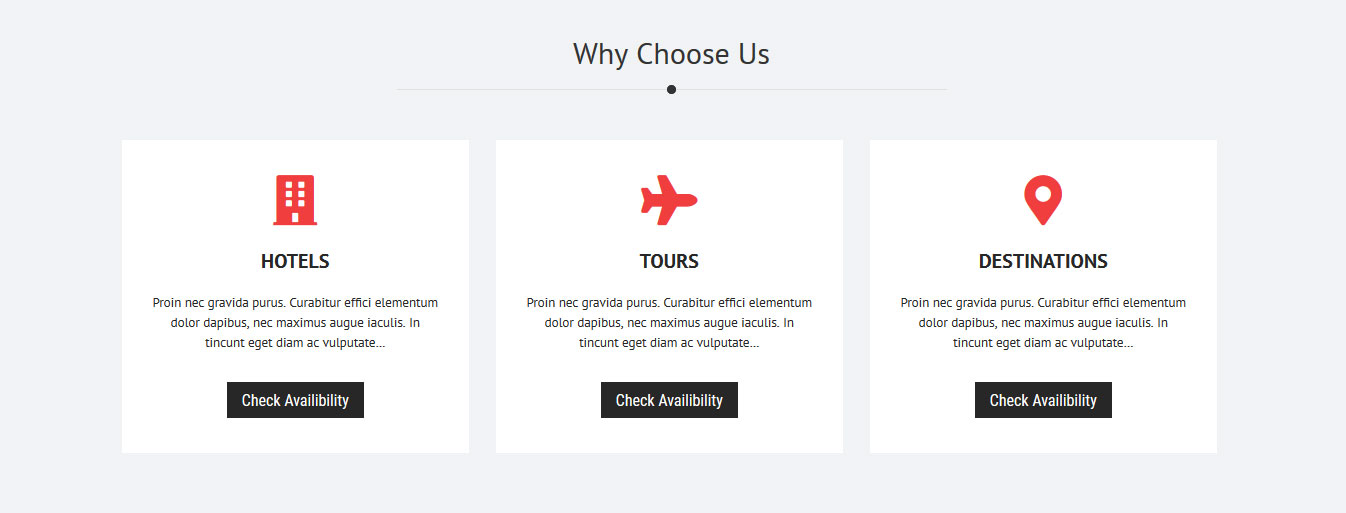
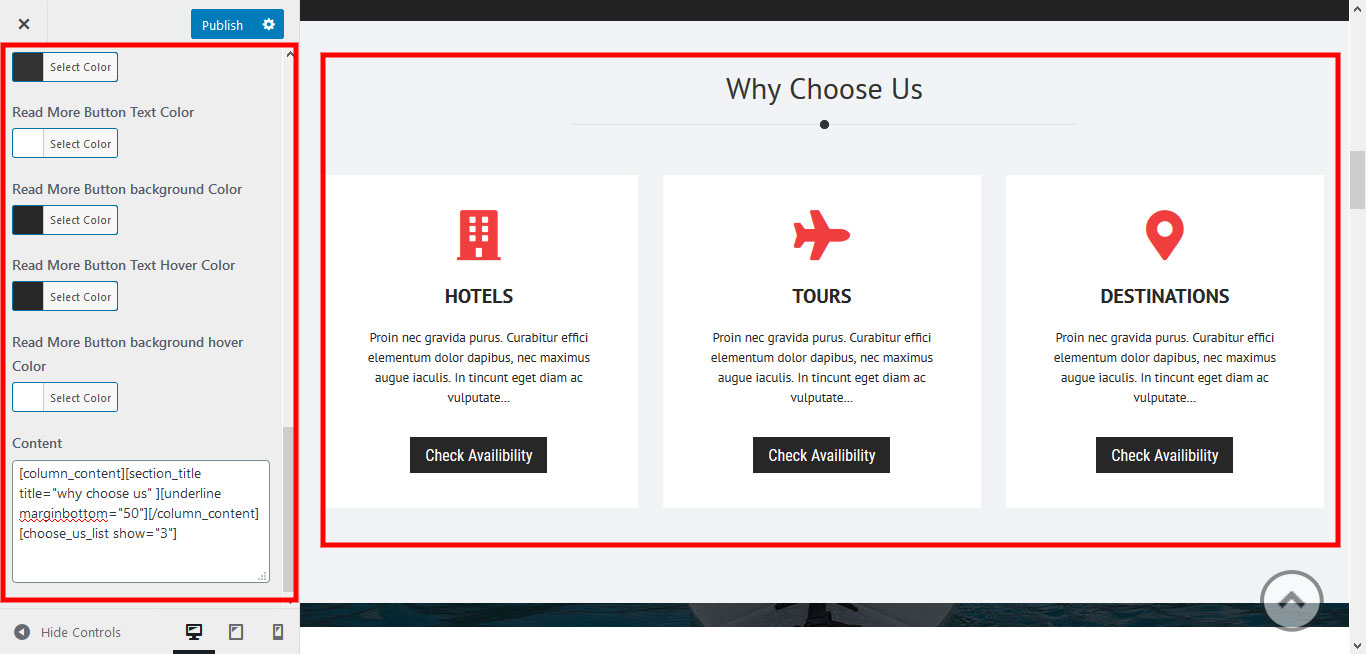
To manage this section:
- Go to Appearance » Customize » Home Sections Settings » Choose Us Section.
- Add the shortcode below to the content section:
[column_content][section_title title="Why Choose Us"][underline marginbottom="50"][/column_content][choose_us_list show="3"]
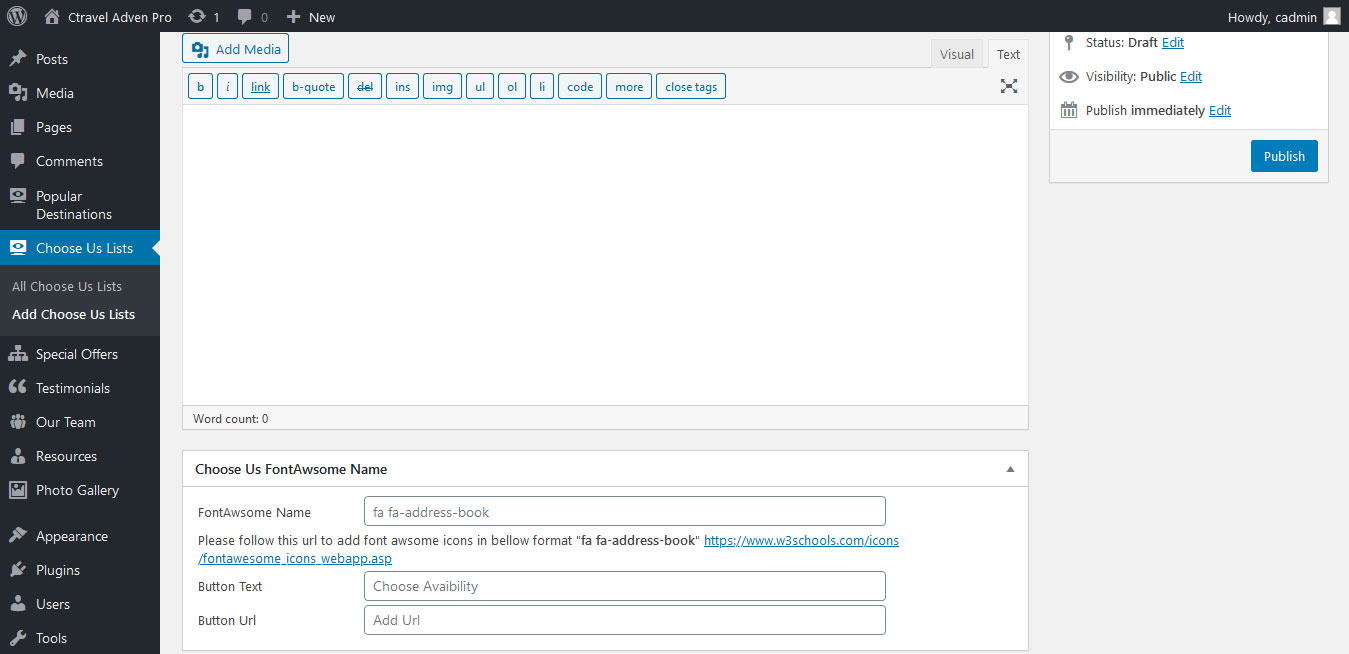
- To manage the Choose Us list go to Choose Us List » All Choose Lists » Edit.
- To add new Choose Us items go to Choose Us List » Add Choose Lists.
4. Popular Destination Section
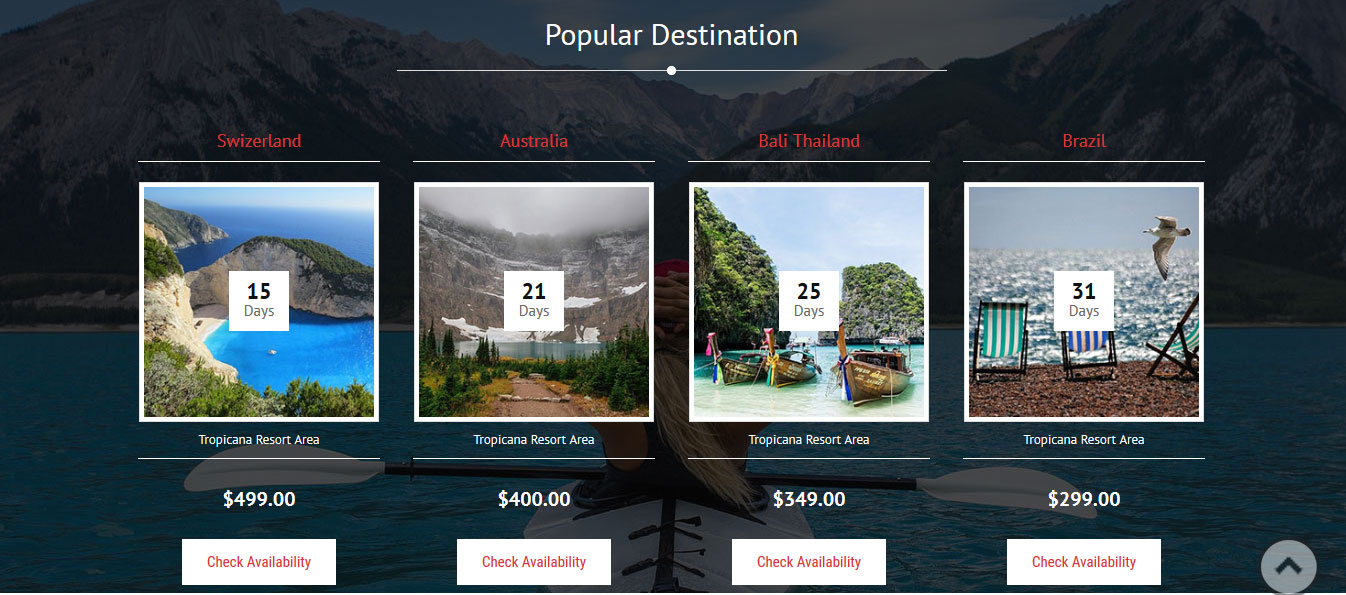
To manage this section:
- Go to Appearance » Customize » Home Sections Settings » Popular Destination Section.
- Add the shortcode below to the content section:
[column_content][underline marginbottom="50"][/column_content][Popular_Destination_List show="4"]
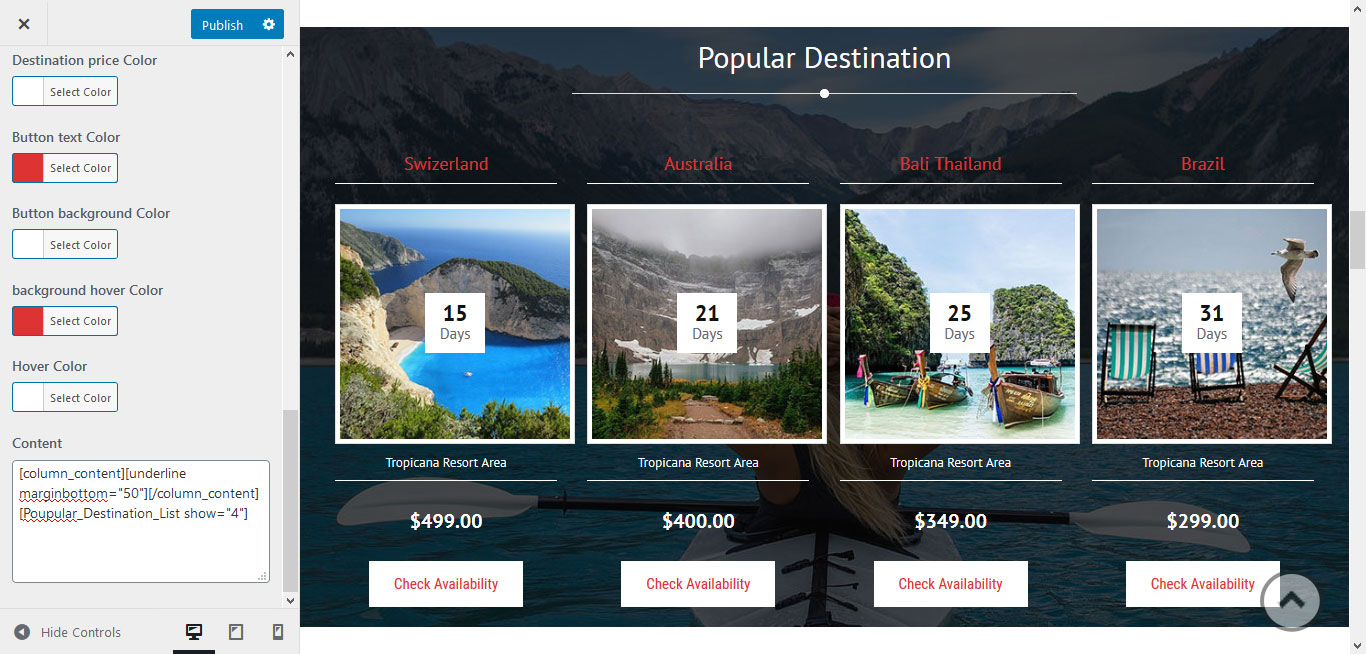
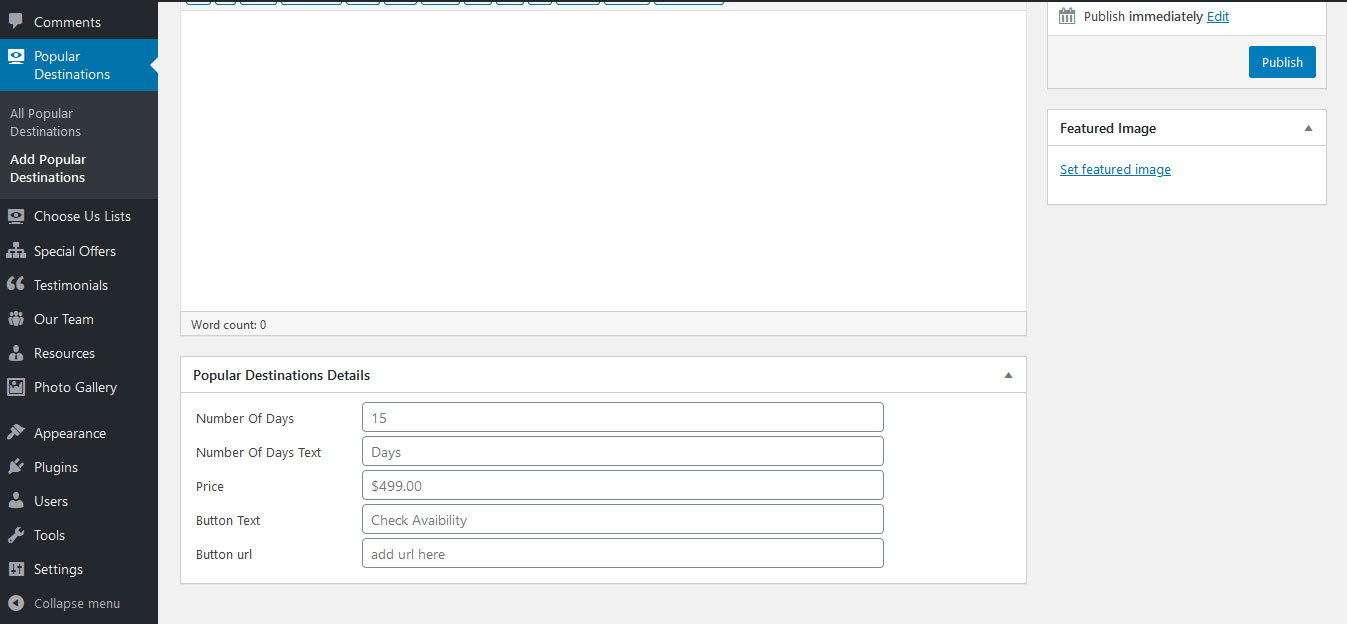
- To manage Popular Destinations go to Popular Destinations » All Popular Destinations » Edit.
- To add new Popular Destinations go to Popular Destinations » Add Popular Destinations.
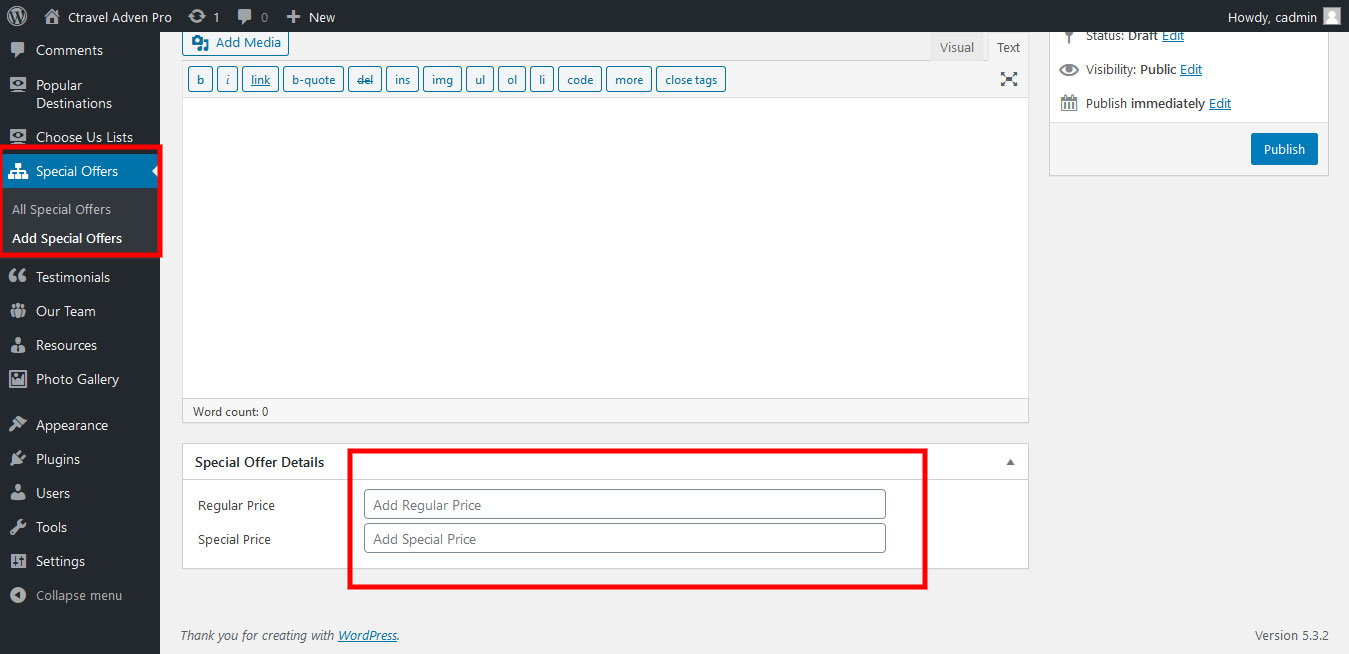
5. Special Offer Section
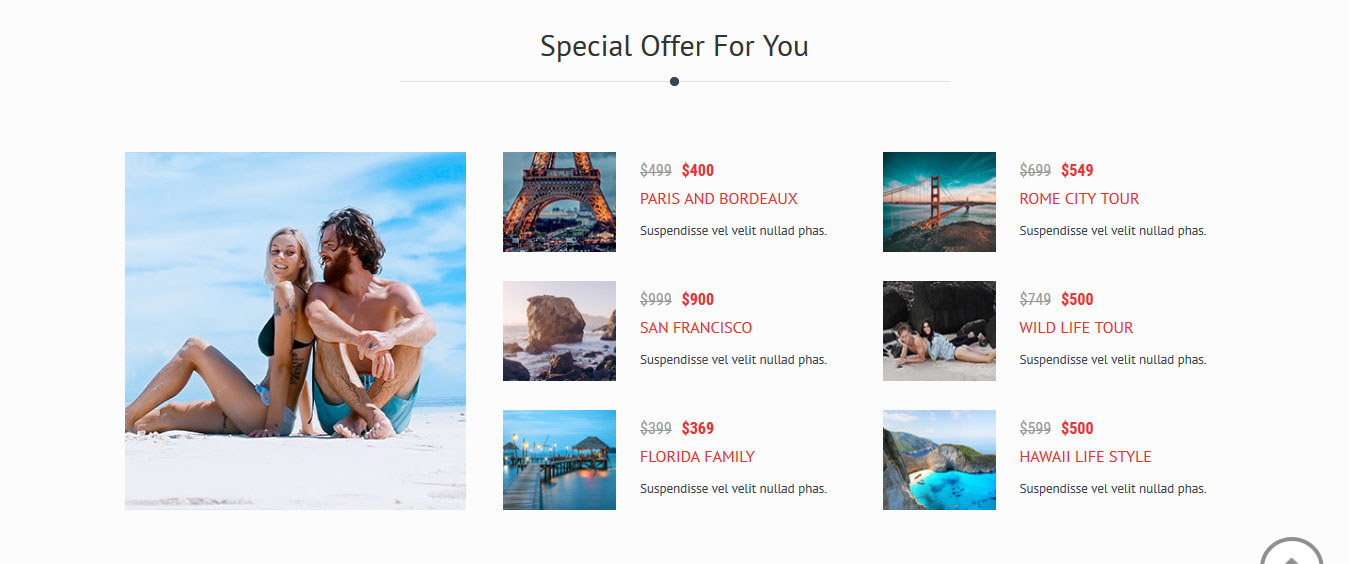
To manage this section:
- Go to Appearance » Customize » Home Sections Settings » Offer Section.
- Add the shortcode below to the content section:
[column_content][underline marginbottom="50"][/column_content][special_offer_cave image="https://www.themescave.com/demo/ctravel-adven-pro/wp-content/themes/ctravel-adven-pro/images/offerthumb.jpg" sale_text="Sale" sale_percentage="20%" heading="Bora Bora for Vacation" desc="Proin nec gravida purus. Curabitur elementum dolor dapibus, nec maximus augue iaculis. In tincidunt eget diam ac vulputate..."]
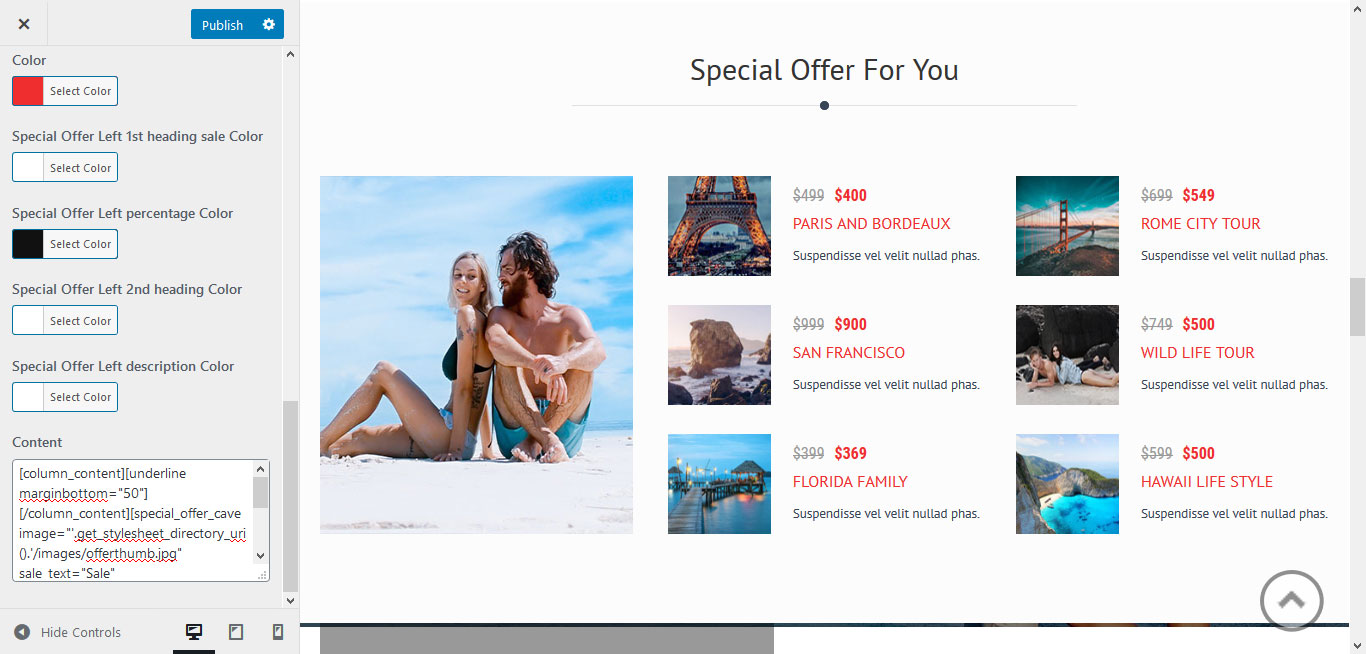
- To manage Special Offers go to Special Offers » All Special Offers » Edit.
- To add new Special Offers go to Special Offers » Add Special Offers.
travel-vacation
6. Vacation Section
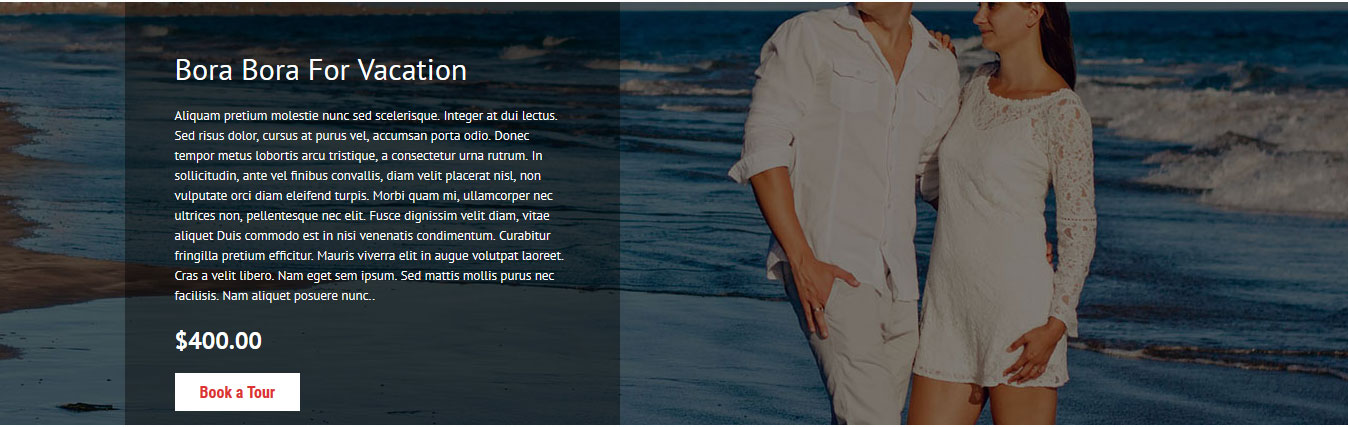
To manage this section:
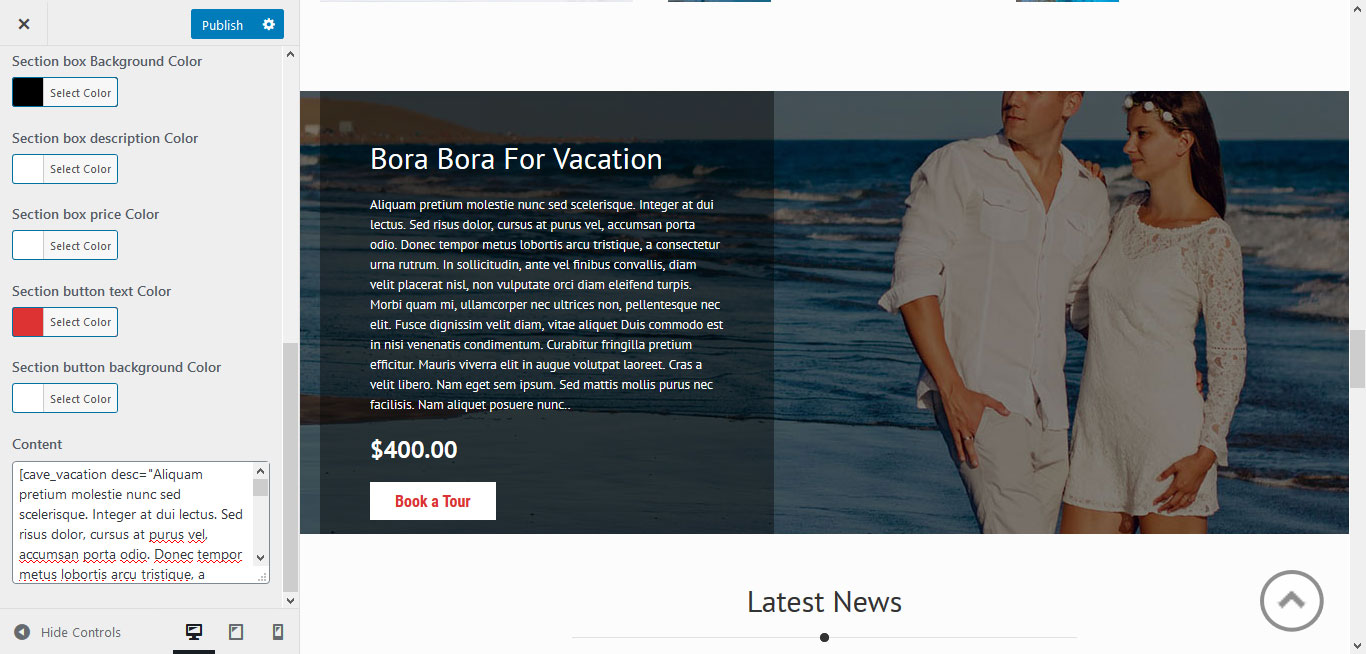
- Go to Appearance » Customize » Home Sections Settings » Vacation Section.
- Add the shortcode below to the content section:
[cave_vacation desc="Aliquam pretium molestie nunc sed scelerisque..." price="$400.00" buttontext="Book a Tour" buttonurl="#"]
7. Latest News
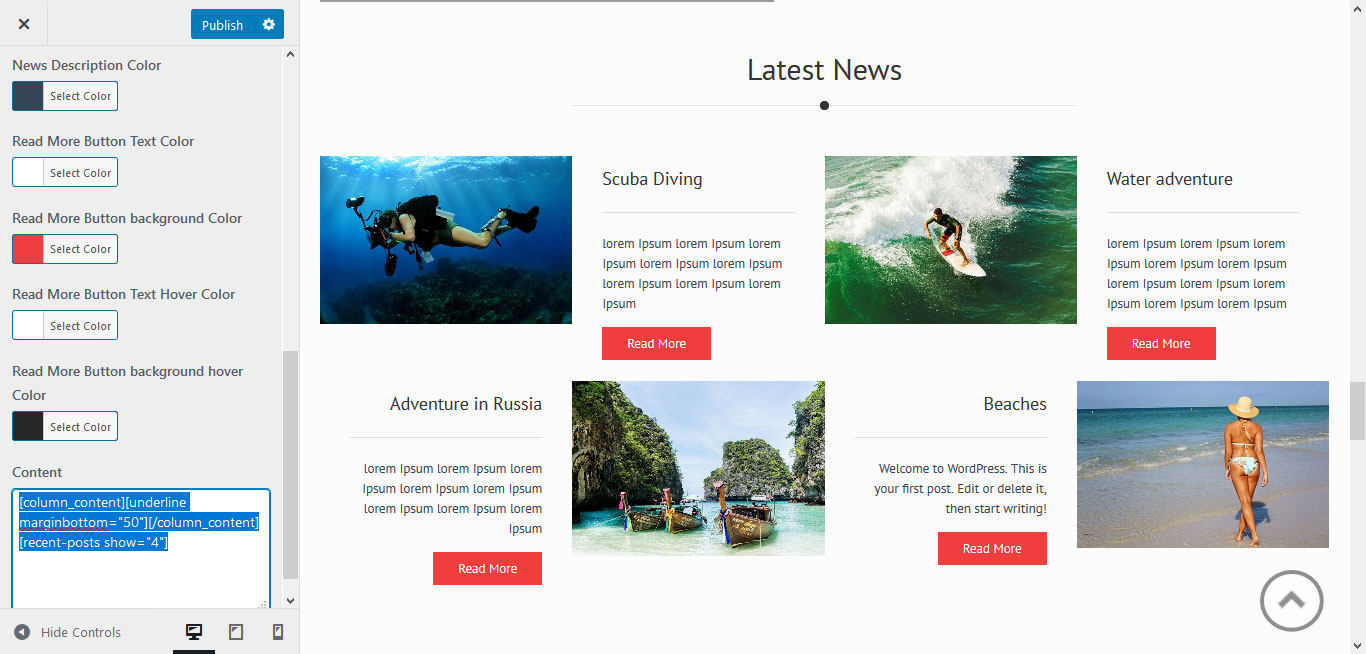
To manage this section, go to Appearance » Customize » Home Sections Settings » News Section.
Shortcode:[column_content][underline marginbottom="50"][/column_content][recent-posts show="4"]
8. Client Testimonials
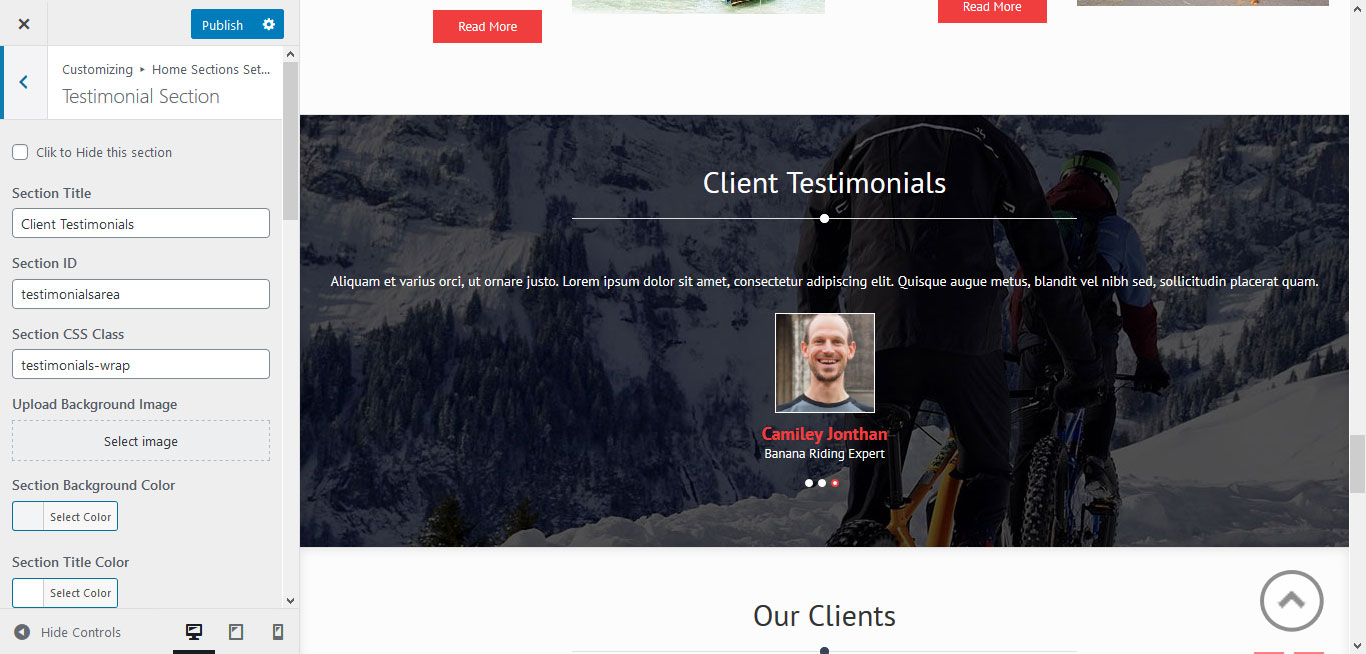
This section displays client testimonials.
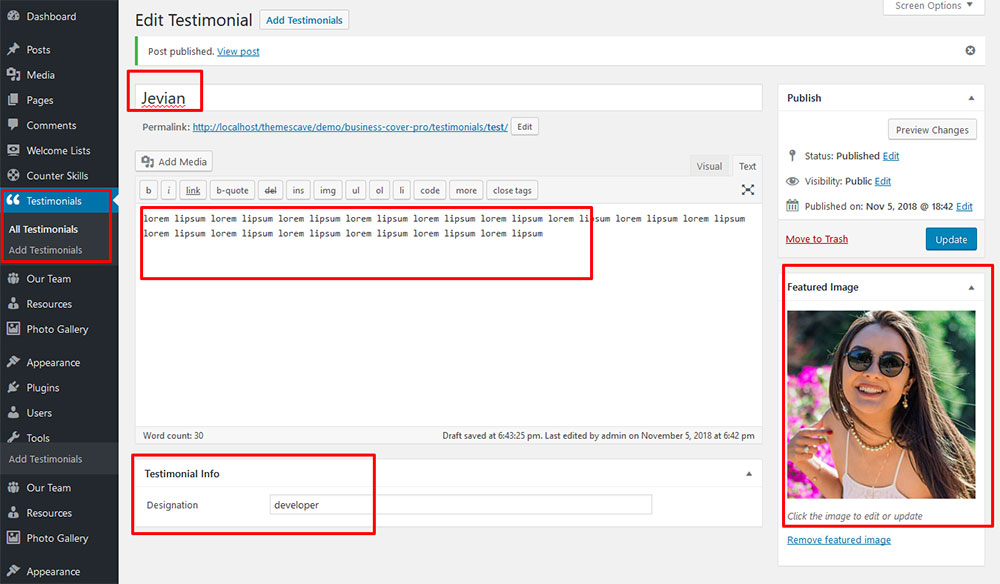
- Create new testimonials from Testimonials » Add Testimonials.
- Add Title, Description, Testimonial Info, and set a Featured Image.
- To manage this section, go to Appearance » Customize » Home Sections Settings » Testimonial Section.
[column_content][underline marginbottom="50"][/column_content][testimonials]
8. Our Clients
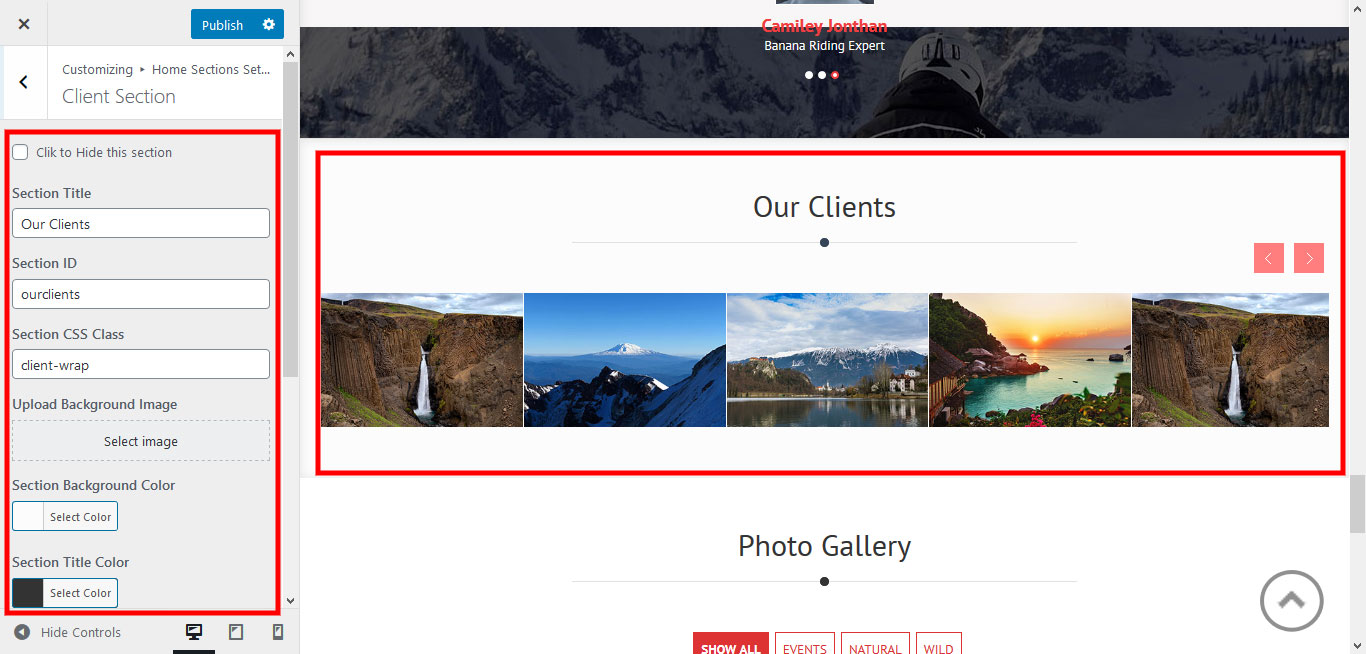
To add partners logo image in this secton
- First upload logo image from Media Library. Go to Media -> Add New
- Copy full path of uploaded image
- Go to Appearance » customize » Home Sections Settings » Our Clients
- Add image URL in image="" and link in link="" like below
- [client image="http://...." link="#"]
[client_lists][client image="http://example.com/wp-content/themes/ctravel-adven-pro/images/client-logo1.jpg" link="#"]
[client image="http://example.com/wp-content/themes/ctravel-adven-pro/images/client-logo2.jpg" link="#"]
[client image="http://example.com/wp-content/themes/ctravel-adven-pro/images/client-logo3.jpg" link="#"]
[client image="http://example.com/wp-content/themes/ctravel-adven-pro/images/client-logo4.jpg" link="#"]
[client image="http://example.com/wp-content/themes/ctravel-adven-pro/images/client-logo5.jpg" link="#"]
[/client_lists]
9. Photo Gallery
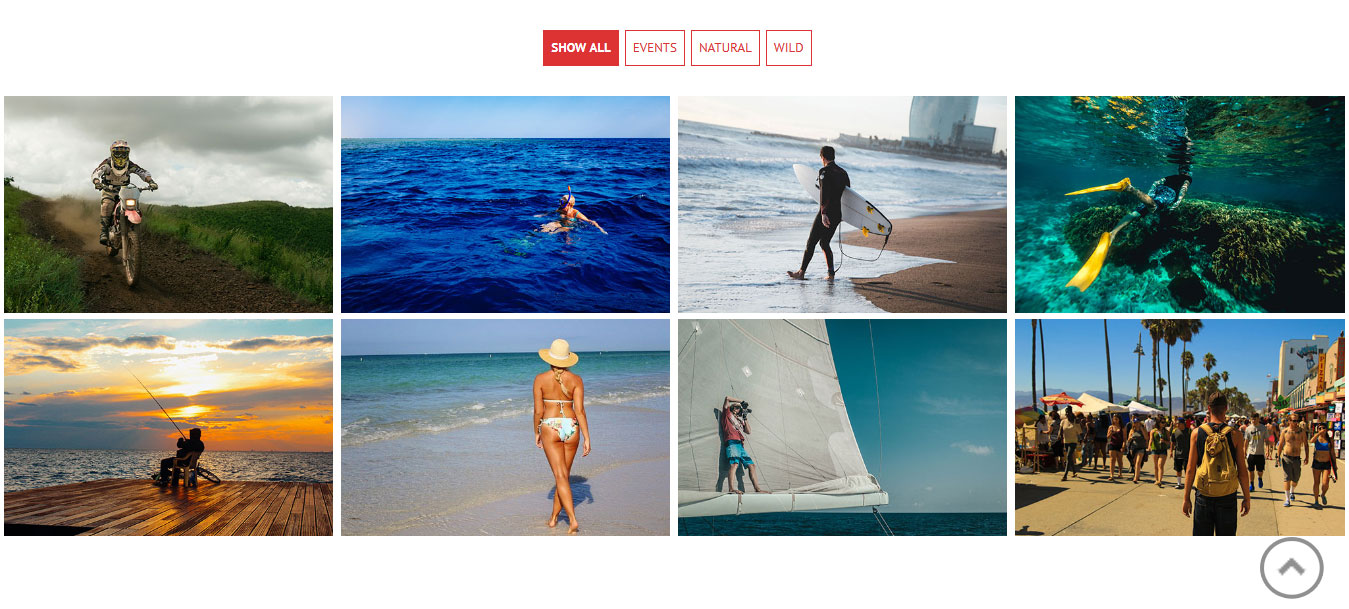
- Click on Photo Gallery >> Add New
- Then add image in feature image with selection of category
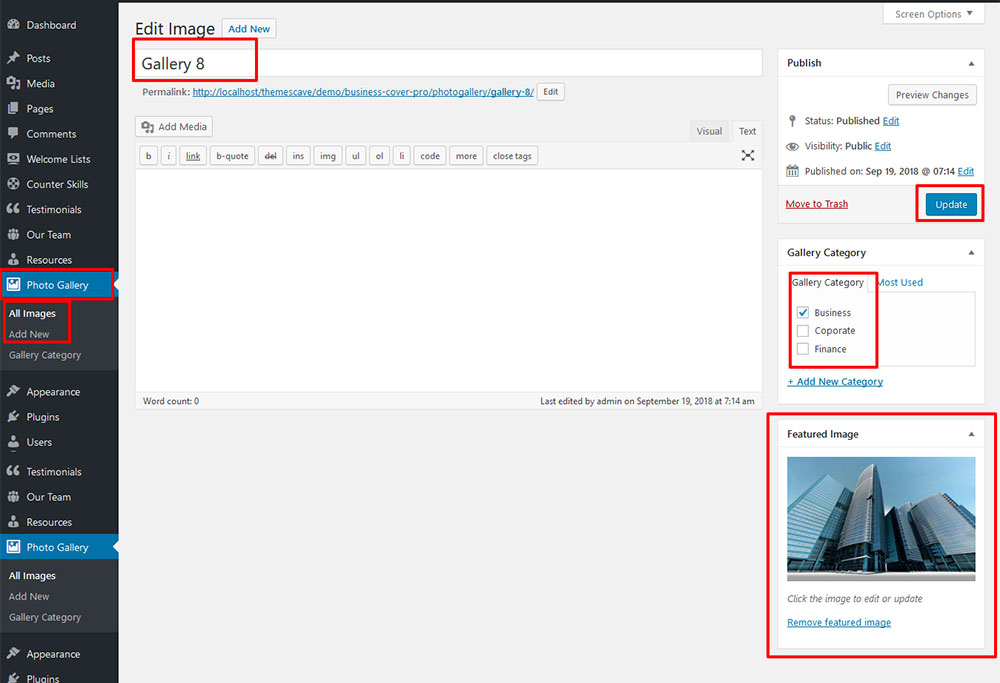
To manage this section go to Appearance » customize » Home Sections Settings » Photo Gallery
Shortcode:[photogallery filter="true" show="8"]
7. Footer
The Footer section consists of four main elements:
- Social Icons
- About Company
- Quick Links
- Our Services
- Latest Posts
- Copyright Text
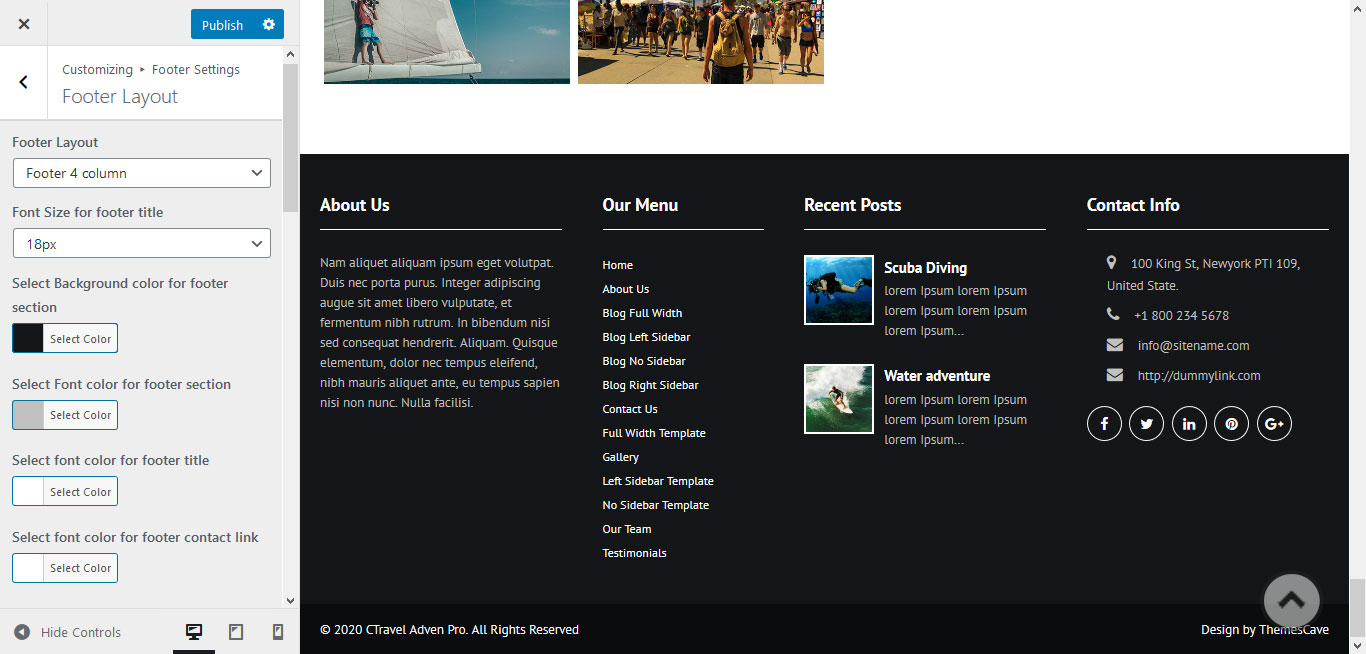
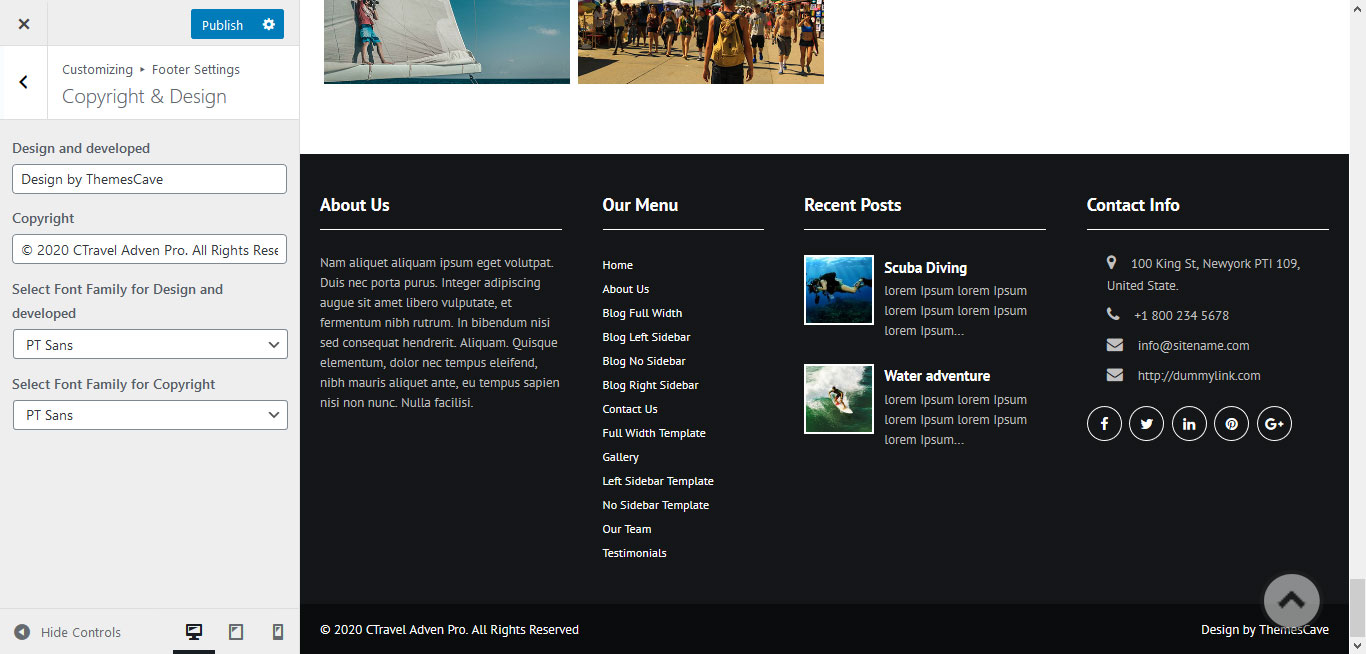
To manage footer Layout go to the Appearance » Customize » Footer Settings » Footer Layout
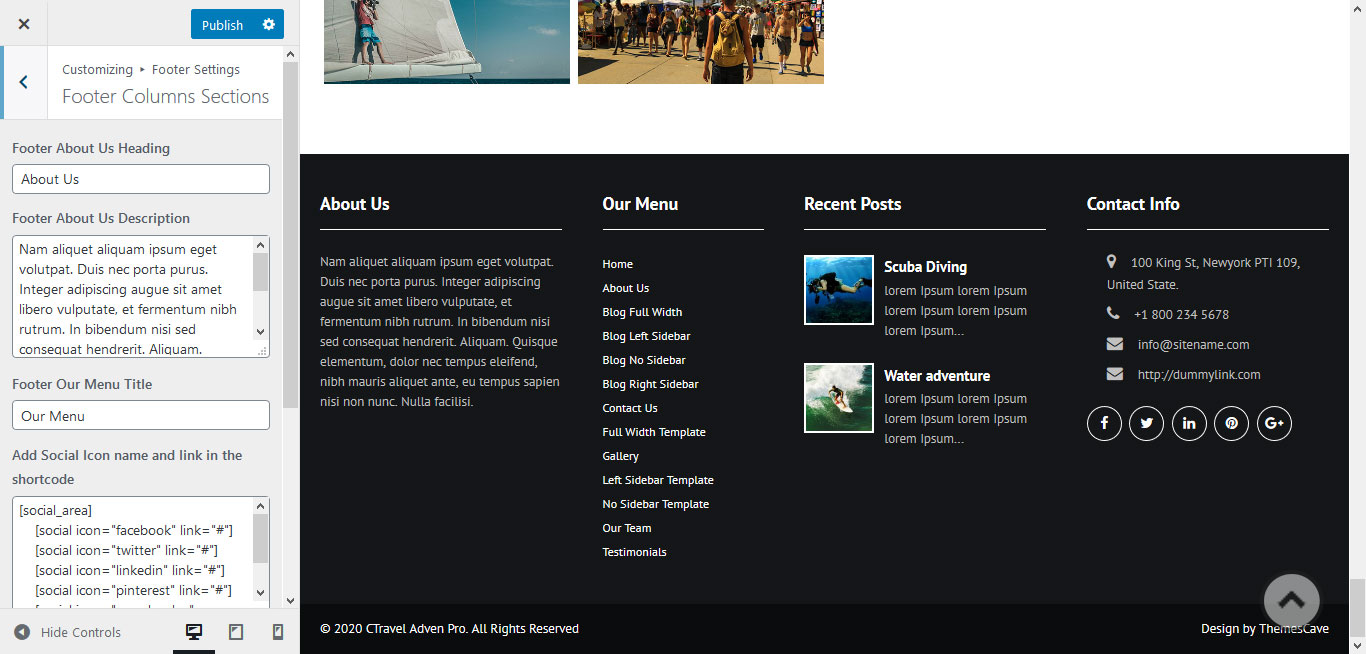
To manage footer section go to the Appearance » Customize » Footer Settings » Footer Column Sections
To manage footer contact address section go to the Appearance » Customize » Footer Settings » Footer Contact Address Sections
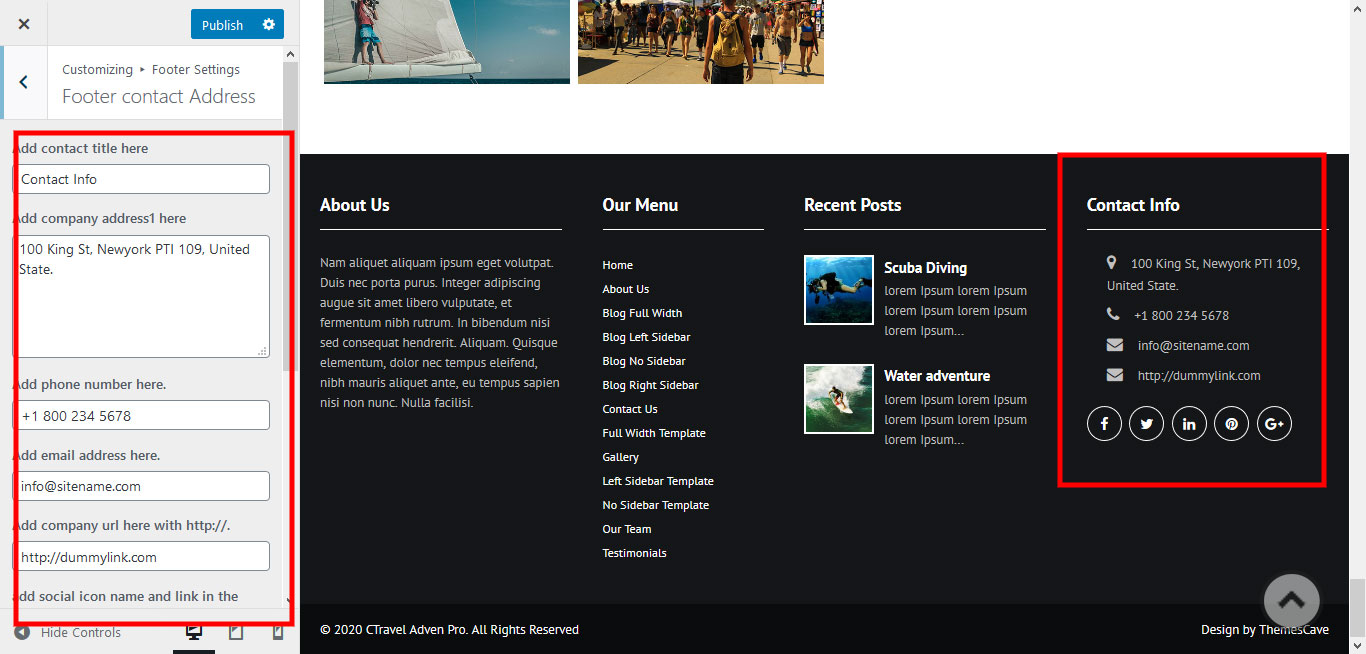
To manage footer contact address section go to the Appearance » Customize » Footer Settings » Footer Contact Address Sections
8. Setting footer menu
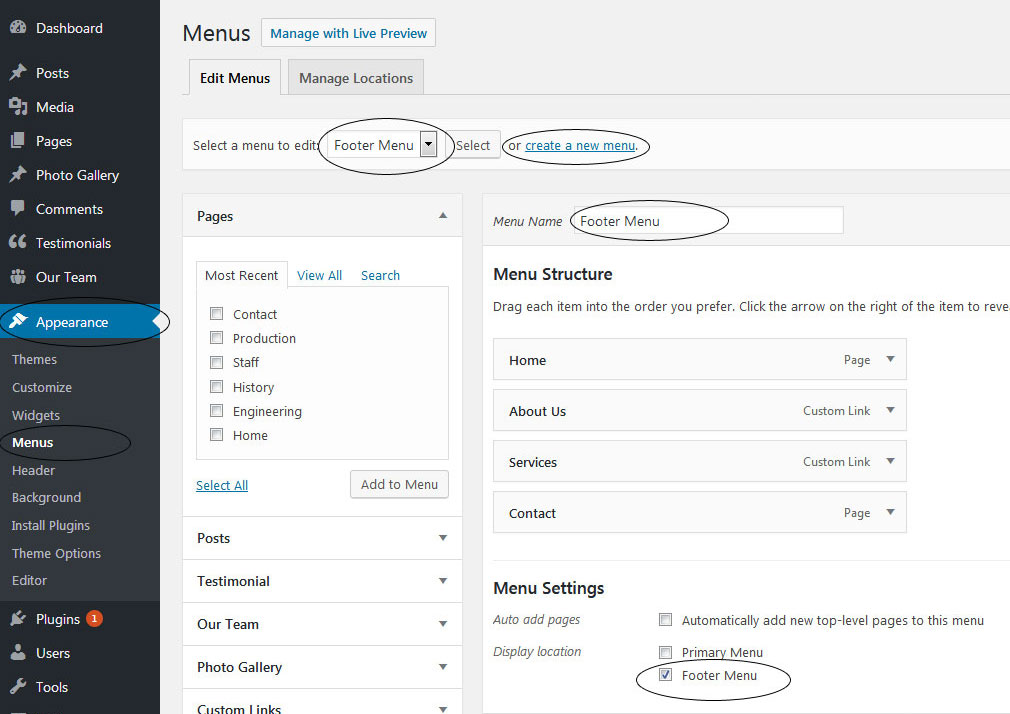
- Go to Appearance >> Menu
- Click on Create a new menu link to create footer menu
- Give a name to your menu (Footer Menu / Support Menu) in Menu name and click save menu button
- Add pages by selecting with checkboxes.
- Select Display location Footer Menu from Menu Settings
- Click Save Menu after adding required pages, categories in the menu
9. Photo Gallery
To display Photo Gallery in any of your page
- First of all add some photo from Photo Gallery -> Add New
- To create gallery category: Go to Photo Gallery -> Gallery Category (Category is optional)
- Add Title, select category and set Featured Image (This Featured image will display in photo gallery)
- Use this shortcode to display project gallery: [photogallery filter="true" show="8"]
- Set filter="false" to remove category filter in gallery
10. Contact Form
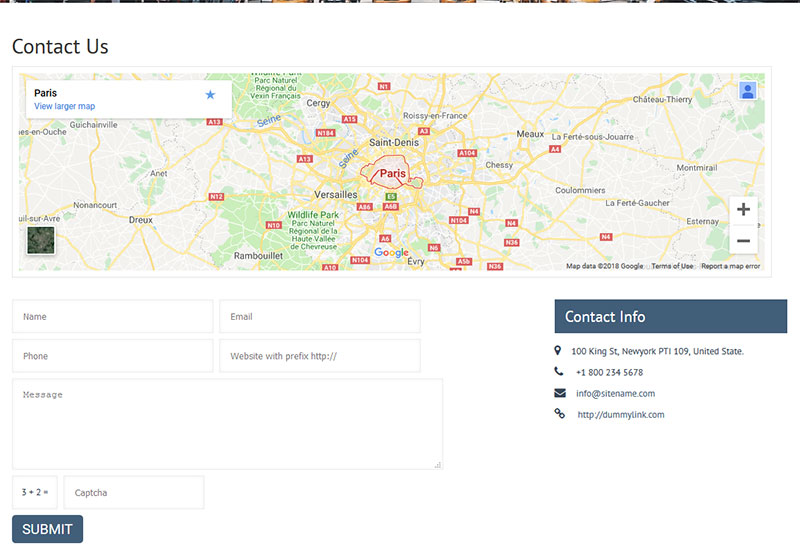
To display contact form in your website
- Create contact page from Pages » Add new page
- Select Contact Us Template from Page Attribute section
11. Page Templates & Sidebars
you can assign template to pages inplace of default template.
- Default Template
- Used to setting up the content on any page with Right Sidebar
- Left Sidebar
- Used to setting up the content on any page with Left Sidebar
- Full Width
- Used to setting up the content on any page without Sidebar
- No Sidebar
- Used to setting up the content in center on any page without Sidebar
- Contact Us
- Used to setting up the contact page.
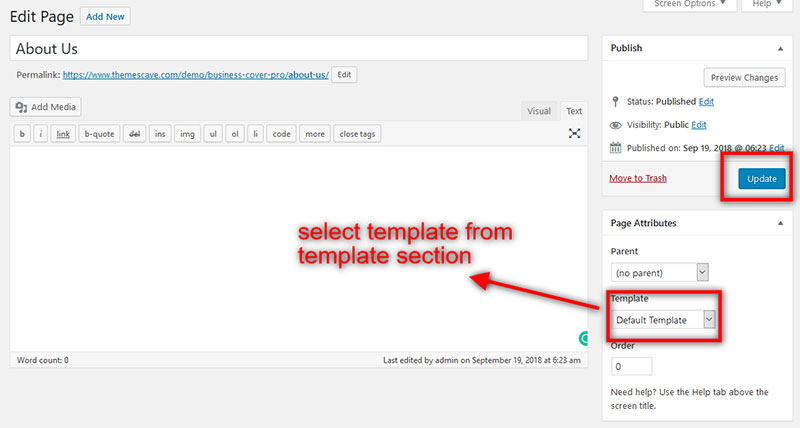
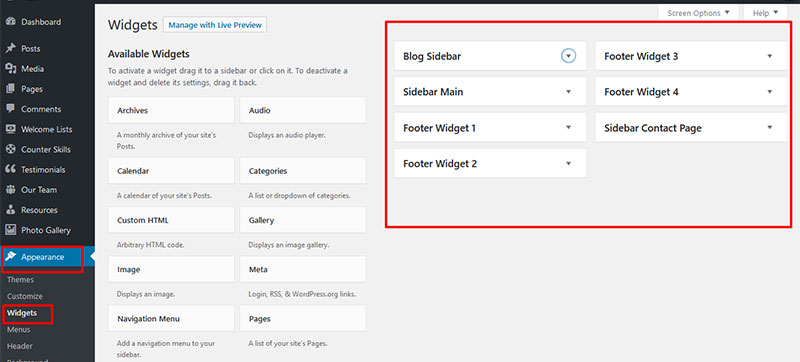
12. Widgets
The WordPress widgets are used to manage sidebars:
- Can manage sidebar from widgets (exa. blog sidebar and main sidebar)
- Footer section can manage from footer widgets 1,2.3,4
13. Shortcodes
- Travel Resource:
[photogallery filter="true" show="8"]
- Welcome:
][welcome_website content="orem ipsum dolor sit amet placerat facilisis felis miin sit amet placerat facilisis felis tempus. Eleifend pellentesque natoque faucibus magna felis miin tempusut etiam felis mi in tempus. Eleifend pellentesque natoque faucibus magna felis Eleifend pellentesque Lorem ipsum dolor sit amet placerat facilisis felis miin sit amet placerat facilisis felis tempus. Eleifend pellentesque natoque faucibus magna Lorem ipsum dolor sit amet placerat facilisis felis miin sit amet placerat facilisis felis tempus. Eleifend pellentesque natoque faucibus magna felis." text="Read More" url="#"]
- Choose Us:
[choose_us_list show="3"]
- Popular Destination:
[Poupular_Destination_List show="4"]
- Offer:
[special_offer_cave image="imageurl" sale_text="Sale" sale_percentage="20%" heading="bora bora for vacation" desc="Proin nec gravida purus. Curabitur effici elementum dolor dapibus, nec maximus augue iaculis. In tincunt eget diam ac vulputate... "]
- Vacation:
[cave_vacation desc="Aliquam pretium molestie nunc sed scelerisque. Integer at dui lectus. Sed risus dolor, cursus at purus vel, accumsan porta odio. Donec tempor metus lobortis arcu tristique, a consectetur urna rutrum. In sollicitudin, ante vel finibus convallis, diam velit placerat nisl, non vulputate orci diam eleifend turpis. Morbi quam mi, ullamcorper nec ultrices non, pellentesque nec elit. Fusce dignissim velit diam, vitae aliquet Duis commodo est in nisi venenatis condimentum. Curabitur fringilla pretium efficitur. Mauris viverra elit in augue volutpat laoreet. Cras a velit libero. Nam eget sem ipsum. Sed mattis mollis purus nec facilisis. Nam aliquet posuere nunc." price="$400.00" buttontext="Book a Tour" buttonurl="#"]
- News:
[recent-posts show="4"]
- Photo Gallery:
[photogallery filter="true" show="8"]
- Testimonials:
[testimonials]
- Testimonials Listing:
[testimonials-listing show="10"]
- Contact Form:
[contactform to_email="test@example.com" title="Contact Form"]